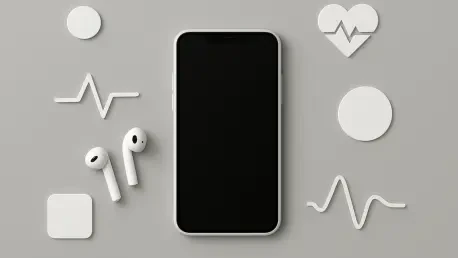

A dedicated cycle tracking interface provides a secure environment for logging reproductive health data without the privacy risks associated with third-party standalone applications. In the current landscape of 2026, the iPhone has evolved into a sophisticated medical companion capable of synthesizing complex biological markers into actionable insights. Managing this vast reservoir of personal information requires a nuanced understanding of the Health app’s architecture, which serves as a central clearinghouse for everything from step counts to clinical lab results. As mobile hardware becomes increasingly integrated with diagnostic capabilities, the ability to curate and protect this data is paramount for maintaining long-term wellness. Individuals who engage deeply with these native tools often find that they can identify physiological trends before they manifest as symptomatic issues, creating a bridge between daily habits and professional medical intervention. The sophistication of these systems means that a few strategic adjustments can transform a standard smartphone into a comprehensive health management system that rivals traditional clinical monitoring in its consistency and accessibility.
1. Privacy Management: Securing Data and Personalizing the Dashboard
Before logging any sensitive medical information, it is essential to ensure that privacy settings align with personal comfort levels. To manage app permissions, navigate to the Settings menu or check the Data Sources and Access section within specific health categories to see which third-party tools are requesting information. Individuals should also control cloud backups in their iCloud settings to confirm that data is fully encrypted and synchronized across all authorized devices. The Sharing tab within the Health app provides a granular way to choose which family members or healthcare providers can view specific health trends. For those who prioritize discretion during physical activity, visiting the Face ID & Passcode section in the main settings allows the option to hide workout data from the lock screen. Furthermore, within the Health app, users can toggle the Show When Locked feature under the Medical ID menu to decide whether bystanders or first responders can view emergency information without a passcode.
Once security protocols are established, the primary interface can be tailored to highlight the most relevant metrics, preventing the need to dig through deep menus for daily updates. By tapping the Browse icon, which is represented by a magnifying glass, individuals can view every available health category, ranging from mobility to nutrition. This exploration allows for the discovery of specific data points, such as Walking Steadiness or detailed nutritional intake, which may be more relevant to certain lifestyles than standard step counts. After selecting a category that requires daily monitoring, scrolling to the bottom of that specific data screen reveals the Pin to Summary option. Activating this ensures that the most critical statistics appear on the front page of the app immediately upon opening. This level of customization ensures that the user remains focused on their specific health goals, whether they are monitoring recovery from an injury or tracking progress toward a fitness milestone.
2. Clinical Tools: Medication Scheduling and Manual Vital Entry
Maintaining consistency with prescriptions and supplements is significantly simplified through the use of the built-in medication tracker, which serves as a digital pillbox. To begin, search for Medications and add a new entry by either typing the name manually or scanning the bottle label with the iPhone camera for rapid identification. The interface allows for the selection of specific icons and colors, providing a visual aid that helps distinguish between various medications at a glance. After inputting the required schedule, the system generates push notifications to alert the user when it is time for a specific dose. For enhanced adherence, enabling Follow Up Reminders in the Options menu provides a second alert thirty minutes after the initial notification if the dose has not been logged. For those preparing for a consultation, the Export PDF tool creates a professional, clean list of all current medications and dosages that can be shared directly with a healthcare provider.
While automated tracking is convenient, many essential health metrics still require manual input from external devices like blood pressure cuffs or pharmacy kiosks. Users can track these vital signs by opening a specific category, such as Blood Pressure or Body Mass Index, and tapping the Add Data icon located in the top right corner of the screen. This feature allows for the manual entry of numbers obtained from non-connected hardware, ensuring that the Apple Health ecosystem remains the definitive record for all medical data. Once this information is entered, the app generates historical charts that illustrate how these readings fluctuate over a period of weeks, months, or years. This longitudinal view is particularly helpful for identifying how lifestyle changes, such as a new diet or exercise regimen, correlate with improvements in systemic health markers. By bridging the gap between analog medical equipment and digital storage, individuals maintain a holistic view of their physical condition without needing expensive smart peripherals for every single metric.
3. Holistic Health: Reproductive Tracking and Psychological Monitoring
Managing reproductive health directly on a smartphone offers a level of discretion and security that is often missing from third-party services. Within the Browse tab, individuals can locate the Cycle Tracking section to log periods and document specific factors such as pregnancy, lactation, or the use of various forms of birth control. The application provides an Options menu where users can enable predictions for upcoming periods and fertile windows, which are calculated based on historical data and physiological markers. Additionally, the Symptoms log allows for the consistent recording of physical changes, such as headaches, cramps, or sleep disturbances, providing a detailed history that can be invaluable during gynecological examinations. This localized approach to data storage ensures that sensitive reproductive information remains under the user’s control, protected by the same encryption that guards the rest of the device’s health data.
Complementing physical tracking is the ability to monitor psychological well-being, which helps users understand the relationship between their mood and daily habits. By navigating to the Mental Wellbeing section and selecting State of Mind, individuals can set up daily prompts to record their current emotions or overall daily mood on a sliding scale. This reflective practice is enhanced by the Show in Charts feature, which allows for a direct comparison between emotional states and various Life Factors, such as exercise frequency, time spent in daylight, or sleep duration. Seeing these correlations visually can help identify triggers for stress or periods of high productivity, fostering a more mindful approach to mental health management. In an era where emotional resilience is as important as physical fitness, having a data-driven way to track internal states provides a necessary perspective on overall wellness. This integrated approach ensures that mental health is treated with the same clinical rigor as any other physiological system.
4. Professional Integration: Hearing Assessments and Medical Records
Advanced hardware integration allows for clinical-grade assessments to be performed at home, specifically regarding auditory health. By connecting compatible devices like AirPods Pro 2 or AirPods Pro 3 to an iPhone, users can access specialized hearing tools directly within the Health app. Searching for the Hearing category reveals the Take Hearing Test option under the Get More From Health section, which initiates a controlled audio assessment. The app guides the user through a series of audio prompts designed to measure frequency response and sensitivity across both ears, subsequently saving the results in a format that is easy to interpret. If the results indicate potential hearing loss or other concerns, the data can be shared with an audiologist to expedite a professional diagnosis or to calibrate hearing assistance features. This democratizes access to hearing screenings, allowing for more frequent checks that can catch degradation in its early stages.
The utility of the Health app is further expanded through the direct synchronization of official medical records from hospitals and clinics. Rather than navigating multiple patient portals to find lab results or immunization records, users can search for their healthcare provider within the app to see if they support Apple Health integration. Once the provider is located, signing in with the existing patient portal credentials links the accounts and allows the iPhone to pull in historical and current medical data over an encrypted connection. Users can then review their full clinical history in one place, and they have the option to toggle the Improve Health Records setting to share anonymized data with researchers if they choose. This level of interoperability empowers patients to take ownership of their medical history, ensuring they have their full record available during emergencies or when visiting a new specialist. It eliminates the friction of manual data requests and provides a seamless way to maintain a lifetime of health documentation.
5. Cardiovascular Adjustments and Emergency Medical ID
Accuracy in fitness metrics is highly dependent on the app understanding the user’s underlying physiological conditions, particularly concerning heart health. For individuals taking specific medications that influence heart rate, such as beta blockers or calcium channel blockers, the app must be informed to adjust its calculations for cardio fitness and VO2 max. This is achieved by tapping the profile icon, selecting Health Details, and then tapping Edit to find the Medications That Affect Heart Rate section at the bottom of the list. By checking the appropriate boxes, the software recalibrates its algorithms to account for the suppressed heart rate caused by these medications, leading to more accurate assessments of cardiovascular health. Without this adjustment, the system might erroneously flag a user as having low fitness levels, whereas the lower heart rate is actually a controlled clinical outcome. This level of specificity ensures that the data remains a reliable reflection of actual physical performance.
The final component of a mastered Health app involves the optimization of the Emergency Medical ID, which serves as a critical resource for first responders. Users should comprehensively fill out their Medical ID with information regarding allergies, blood type, and emergency contacts, using the Notes section for specific instructions regarding rare conditions or previous surgeries. Enabling the Share During Emergency Call feature ensures that this vital information is automatically transmitted to dispatchers during a 911 call, providing life-saving data even if the user is unable to communicate. It is equally important to educate close associates, such as friends or family members, on how to access the Medical ID from the lock screen without needing a passcode. Taking these steps transformed the iPhone from a simple communication device into a proactive safety tool. The proactive management of these features ensured that personal health data became a reliable asset in both daily wellness and critical emergency situations.