
Managing one’s personal health information in the digital age often involves a fragmented collection of data scattered across various fitness trackers, wellness apps, and siloed electronic patient portals. This disorganization creates a significant barrier for individuals seeking a comprehensive understanding of their overall well-being, making it difficult to spot trends, share complete information with healthcare providers, or see how different aspects of their lifestyle influence one another. The challenge lies not in the lack of data, but in the absence of a unified platform capable of securely consolidating these disparate streams of information into a single, coherent, and actionable view. Apple’s Health app has steadily evolved to address this very issue, transforming the iPhone into a powerful, centralized hub for personal health management that integrates seamlessly into a user’s daily life. Its strength is derived from its ability to aggregate, analyze, and present a holistic picture of health, empowering users with insights that were once inaccessible.
1. Seamless Integration With Wearable Technology
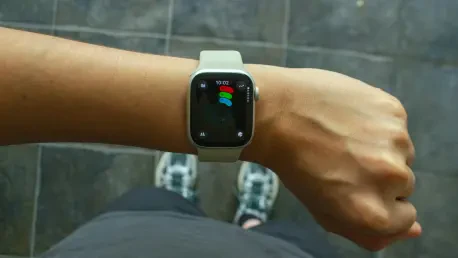
A primary strength of the Health app ecosystem is its deep and seamless integration with wearable technology, most notably the Apple Watch. While the Apple Fitness app provides a focused look at workouts and daily activity goals, the Health app offers a much broader and more profound perspective. It serves as the central repository for all the rich data collected by the Apple Watch, including continuous heart rate monitoring, resting heart rate, walking heart rate variability, blood oxygen levels, and detailed sleep stage analysis. This allows users to move beyond immediate workout metrics and explore long-term historical data, identifying subtle shifts and patterns that could indicate changes in cardiovascular fitness or sleep quality over weeks, months, or even years. The platform’s versatility, however, extends well beyond Apple’s own hardware. Recognizing the diverse preferences of consumers, the Health app integrates with a growing number of third-party fitness trackers. Devices such as the WHOOP band, known for its detailed recovery and strain monitoring, and increasingly popular smart rings like the Oura Ring and Ultrahuman Ring, can all sync their unique datasets directly to Apple Health. This open approach ensures that users are not locked into a single hardware ecosystem and can choose the wearable that best fits their lifestyle while still benefiting from a unified health database.
2. A Central Hub for Health Accessories
The Apple Health app’s utility is significantly amplified by its ability to connect with a wide array of smart health accessories, transforming it from a passive data viewer into an active monitoring dashboard. This ecosystem allows for the effortless and automatic logging of key vitals, eliminating the need for manual entry and reducing the potential for human error. For instance, smart blood pressure monitors like the Withings BPM Connect or the OMRON Evolv enable users to take daily readings that are instantly and wirelessly transmitted to the Health app. There, the data is not only stored securely but is also charted over time, allowing individuals and their doctors to monitor trends in hypertension management alongside other contributing factors like physical activity or sleep. Similarly, the integration with smart scales provides a frictionless way to track weight and body composition. A user can simply step on a device like the Withings Body Smart Scale or the Wyze Scale Ultra, and metrics such as weight, body fat percentage, and BMI are automatically saved. This automation fosters consistency, a key component of successful weight management. The platform’s support extends even further, encompassing devices like smart thermometers for tracking body temperature, continuous glucose monitors (CGMs) for diabetes management, and dedicated smart sleep tracking devices, creating a truly comprehensive and interconnected health monitoring system.
3. Consolidating Your Official Medical Records
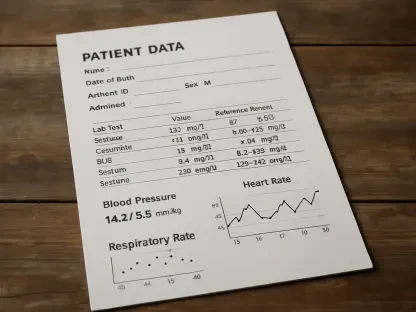
A groundbreaking feature of the Apple Health app is its capability to directly integrate with official medical records from participating hospitals and clinics, effectively bridging the gap between user-generated health data and clinical information. This allows users to download and store a verifiable history of their health, including critical information like allergies, immunizations, existing medical conditions, past procedures, and lab results, all within the same application where they track their daily activity and vitals. The process to enable this is straightforward: from within the Health app, navigate to your profile, select “Medical Records,” and search for your healthcare provider. For most users whose doctors or hospitals utilize common patient portal systems like MyChart, the connection can be established securely using existing login credentials. Once linked, the Health app periodically and automatically syncs new information, ensuring the user’s records remain up-to-date. This consolidation provides immense value, giving individuals a complete and longitudinal view of their health history at their fingertips. It simplifies the process of sharing information with new specialists, empowers users to have more informed conversations with their doctors, and offers context to the data collected by their wearables and accessories.
4. Customizing Your Health Dashboard
With such a vast amount of data flowing in from various sources, the ability to personalize how that information is presented is crucial for the app’s usability. The Health app addresses this by offering robust customization options for its main “Summary” tab, allowing users to create a personalized health dashboard that prioritizes the metrics most relevant to their individual goals and concerns. To tailor this view, a user simply taps the “Edit” button located in the upper-right corner of the Summary screen. This action reveals a comprehensive list of all available health categories, from activity and heart rate to nutrition and sleep. From here, users can select which metrics to “pin” to their dashboard by tapping the star icon next to each one. Furthermore, these pinned metrics can be rearranged via a simple drag-and-drop interface, enabling complete control over the layout. For example, an individual focused on cardiovascular health might place heart rate data, blood pressure, and steps at the very top, while someone managing diabetes might prioritize blood glucose and carbohydrate intake. This level of personalization ensures that the most important information is immediately visible upon opening the app, reducing clutter and allowing for quick, at-a-glance monitoring. For deeper analysis, a “Show All Health Data” option remains available, providing access to the full repository of information when needed.
5. Managing and Prioritizing Data Sources
A sophisticated yet essential feature of the Apple Health app is its granular control over data sources, which becomes particularly important when multiple devices or apps are capable of recording the same type of metric. For example, both an iPhone and an Apple Watch can track steps, which could lead to duplicated or conflicting data entries. The Health app elegantly solves this by allowing users to not only manage which apps have permission to read or write data but also to prioritize the sources for each specific metric. To manage app permissions, a user can navigate to their profile, select “Apps,” and then specify precisely what data each connected application is allowed to contribute. For instance, a user might allow a nutrition app to write dietary information but prevent it from writing step data. To prioritize sources for a specific metric, one can tap on that metric in the Summary, scroll down to “Data Sources & Access,” and tap “Edit.” This reveals a list of all devices and apps that have contributed data for that category. By dragging the sources into a preferred order, the user tells the Health app which device to trust most. Placing the Apple Watch above the iPhone in the list for “Steps” ensures that the watch’s more accurate wrist-based tracking is always used when available, creating a single, reliable source of truth for every health metric.
6. Unlocking Insights With Trends and Highlights
Beyond simply collecting and displaying data, the Apple Health app actively analyzes the information to provide users with valuable, easy-to-understand insights through its Trends and Highlights features. This functionality transforms the app from a passive data log into a proactive wellness partner. The “Trends” feature performs long-term analysis on health data, identifying significant upward or downward shifts in various metrics over extended periods. For example, the app might generate a notification that states, “Your average resting heart rate has been lower over the last 90 days,” or “You’ve averaged more steps over the past 14 weeks.” These trends are presented with clear charts that visualize the change, helping users understand their progress and the long-term impact of their lifestyle choices without needing to perform complex data analysis themselves. On the other hand, “Highlights” offer more immediate, day-to-day context. This feature provides snapshots of recent data and compares current activity to established patterns. A highlight might inform a user that they have taken “fewer steps than you usually do by now” on a particular day, serving as a gentle nudge to encourage more movement. By proactively surfacing these key patterns and real-time progress updates, the app helps users stay engaged and informed about their health journey.
7. Enhancing Safety and Connectivity
The Apple Health app incorporates critical features that extend its utility beyond personal tracking into the realms of emergency preparedness and collaborative care. A key component of this is the Medical ID, which allows users to create a comprehensive profile containing vital information such as emergency contacts, medical conditions, allergies, medications, blood type, and organ donor status. This Medical ID can be configured to be accessible from the iPhone’s lock screen, providing first responders with immediate access to potentially lifesaving information in a situation where the user is unable to communicate. The app also includes a “Sharing” tab, a powerful tool for securely sharing health data with trusted individuals, such as family members, caregivers, or physicians. Users have complete control over what information is shared, with the ability to select specific metrics or categories and revoke access at any time. All shared data is encrypted, and only a summary of each topic is provided, protecting granular details. This feature can be invaluable for an adult child monitoring an aging parent’s activity levels or for a patient providing their doctor with continuous access to blood pressure or glucose readings between appointments, fostering a more connected and proactive approach to healthcare.
8. A Unified Vision for Personal Health
The architecture of the Apple Health app demonstrated a powerful shift toward integrated personal health management. By creating a centralized and secure repository for an extensive range of data—from wearable metrics and device readings to official clinical records—it provided users with an unprecedentedly holistic view of their well-being. The platform’s strength was found not only in its capacity for data aggregation but also in its intelligent features for personalization, data source prioritization, and proactive analysis through trends and highlights. The integration of safety tools like Medical ID and collaborative functions like Health Sharing further solidified its role as a comprehensive wellness tool. Ultimately, the system empowered individuals to move from a reactive to a proactive stance on their health. It provided the tools and insights needed to understand the intricate connections between lifestyle choices and health outcomes, fostering a more informed and engaged approach to personal wellness that was both accessible and deeply personalized.